
New · Free · No sign-up
Two decks.One browser tab.
VibeField DJ is a complete DJ setup that opens like a web page: beat-synced decks, a spectral crossfader, 26 effects, key detection and real controller support. Free, with nothing to install, and your music never leaves your computer.
Start mixing, free Your first mix in 10 minutes
Runs in Chrome, Edge and Brave · Firefox and Safari without MIDI · works offline after the first visit
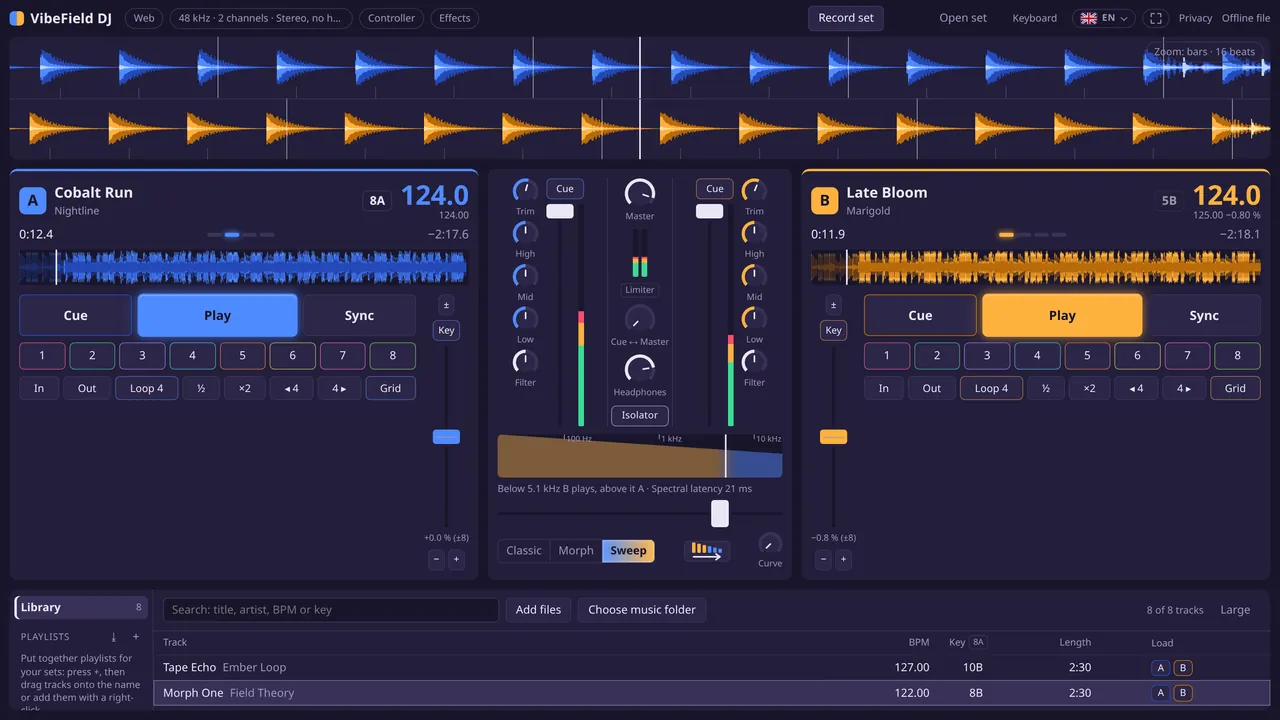
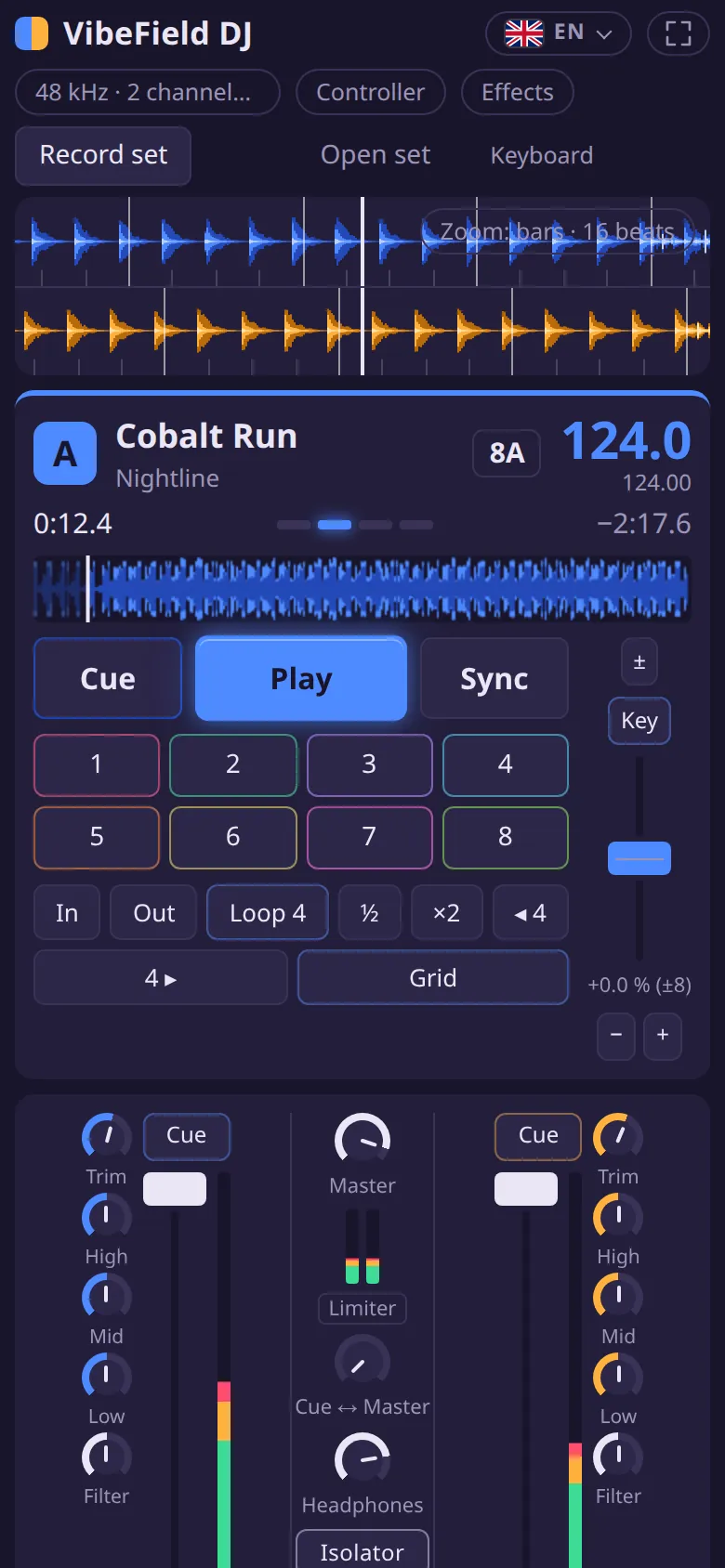
VibeField DJ in the browser: two decks playing in sync, the crossfader in Sweep mode handing the spectrum from deck A to deck B
- No trial, no account, no catch
- €0
- Effects in chains
- 26
- Controllers mapped
- 93
- Languages
- 22
The Field
A crossfader that thinks in frequencies.
A normal crossfader turns one track down while the other comes up. VibeField DJ adds two modes that work frequency by frequency: Morph blends the timbre of both tracks, Sweep hands the spectrum over from the bottom up, a clean bass swap without touching the EQ. The field above the fader shows live which frequencies come from which deck.
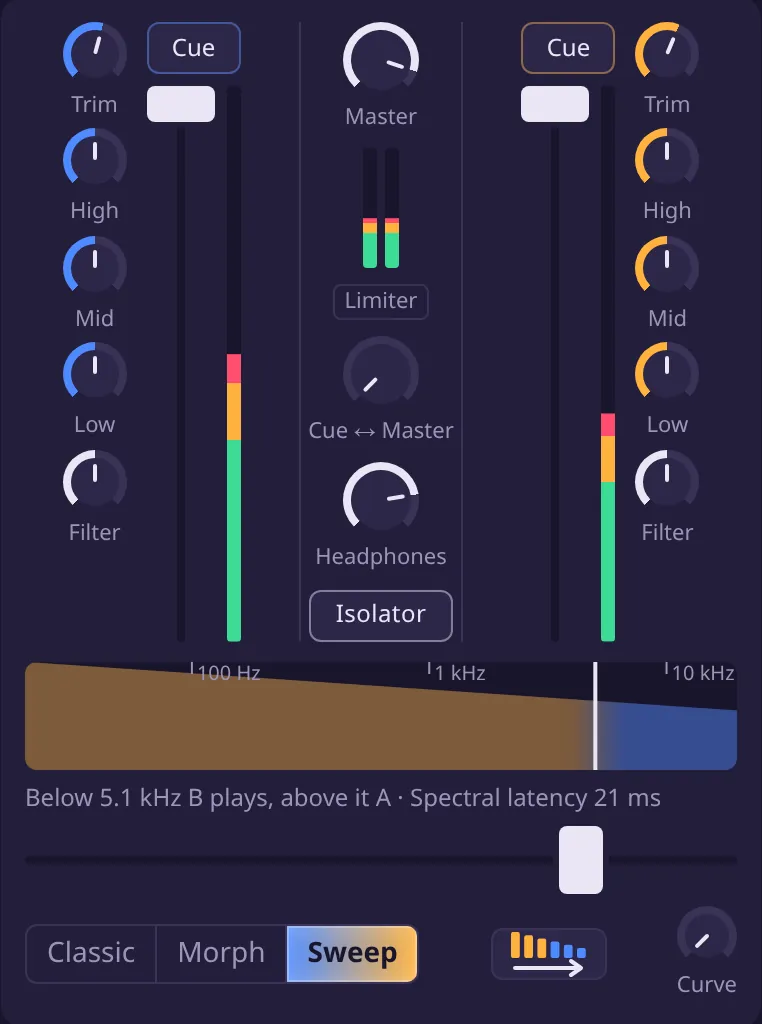
Below 1.4 kHz deck B plays, above it deck A
- Classic The fade you know, with an adjustable curve.
- Morph Both tracks melt into one sound, bin by bin.
- Sweep Bass first, highs last: the bass swap in one move.
Try it: drag the fader. This is an illustration of what the app does with real audio.
Effects
26 effects, chained and in time.
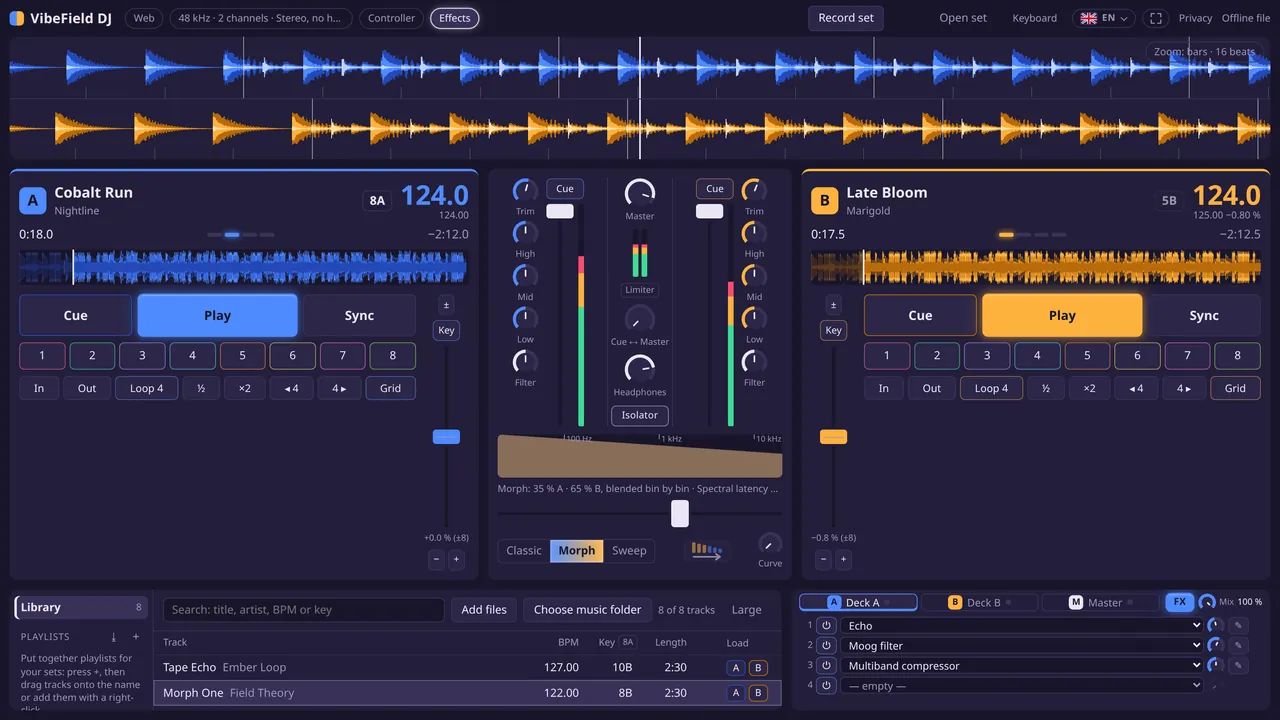
Four slots per deck and four on the master. Echo, reverb, filters, flanger, phaser, glitch, pitch shift and more, all synced to the deck’s tempo. A multiband compressor brings back the bass of a sped-up track, and a true-peak limiter keeps the master clean.
- 4 slots on deck A, deck B and the master
- Tempo-synced, recorded into your set
- Assignable to MIDI in the controller workshop
Library
Analysed once. Ready forever.
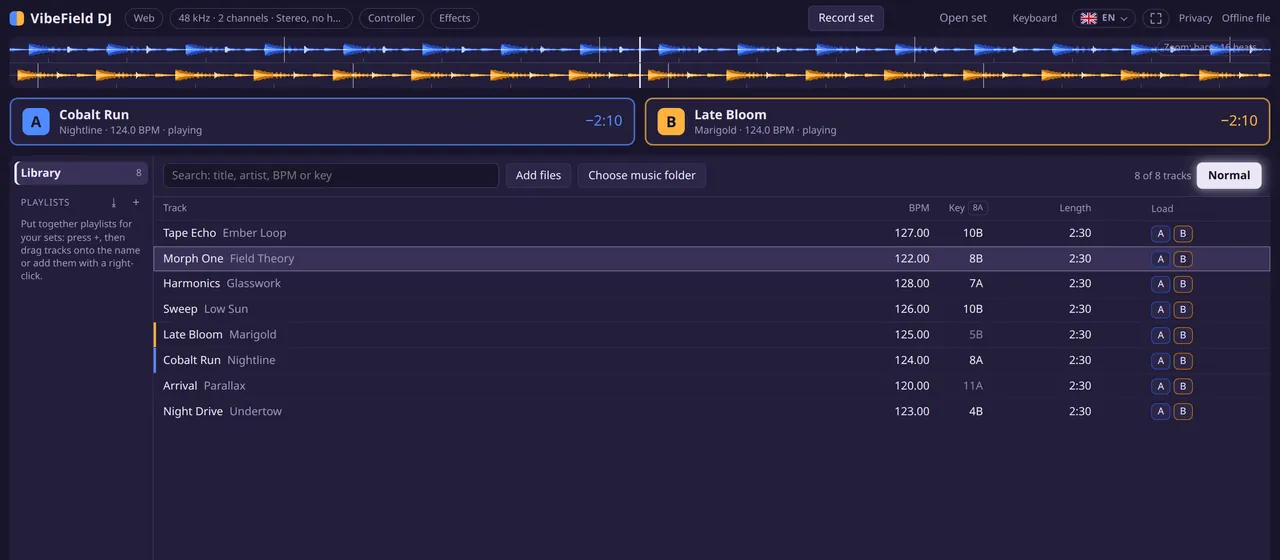
Pick your music folder and every track gets BPM, beatgrid, loudness, key and waveform, using every core of your processor and only once. Sort playlists by hand or let the mix order line up harmonically matching keys with a gently rising tempo.
- Key as 8A, Am or 1m
- Mix order by key + tempo
- M3U8 import and export
Controllers
Plug in your controller. Play.
93 controllers are already mapped. For anything else, the controller workshop asks element by element, works out how your hardware sends (buttons, 14-bit faders, encoders, jog wheels with touch), mirrors deck A onto deck B and tests the LEDs. Share a mapping as a file or a short code.
- 93 controllers out of the box
- Workshop for unknown hardware
- Jog wheels, LEDs, soft takeover
Set recorder
Record the moves, not just the sound.
A set is saved as every action at its exact sample. Render it to WAV afterwards, bit-exact and without dropouts even if the live run had one. Or open it in the set editor: move a transition by a beat or a bar, delete a slip, redraw a fader ride and render again.
- Bit-exact WAV render
- Fix transitions after the gig
- Nothing gets lost to a hiccup
Anywhere
Laptop, tablet, phone, USB stick.
The layout adapts: decks side by side on a tablet, everything stacked on a phone with bigger buttons for fingers. Install it as an app and it works offline. For gigs on someone else’s computer there is a USB stick version with its own browser, and an emergency single-file version.
- Installable, offline after the first visit
- Touch layout for tablet and phone
- Stick version: plug in, double-click, play
Your music stays yours
Nothing is uploaded. Ever.
VibeField DJ reads your files where they are. The only thing that comes from the server is the app itself and the controller mappings. No uploads, no tracking, no cookies.
- Files are read locally, in your browser
- Analysis is cached on your device
- No account, no tracking, no cookies
DJ school
Learn it in an evening.
Seven hands-on guides, from your very first mix to recording a set you can fix afterwards.
- 01How to DJ in your browser: your first mix in 10 minutesLoad music, sync two tracks, swap the bass and cue in your headphones, all in a browser tab.
- 02The spectral crossfader: a bass swap without touching the EQMorph and Sweep hand over the sound frequency by frequency. A clean bass swap with one hand.
- 03Harmonic mixing with the Camelot wheelRead the Camelot wheel, keep the key with Keylock and let a playlist sort itself into a mix order.
- 04Use a DJ controller in your browser with Web MIDIPlug in, allow MIDI and play. 93 controllers are known, and the workshop learns the rest.
- 05DJ effects in your browser: chains, slots and four recipesFour slots per deck and on the master, 26 effects in time with the music, and four recipes to start.
- 06Record your DJ set, fix it afterwards, export as WAVRecord your actions instead of the sound, then fix a transition and render a perfect WAV.
- 07DJ offline: install the app, take a USB stick, keep a backup fileWorks offline, installs like an app, runs from a USB stick, and still plays from one file if all else fails.
No controller? No problem.
Your keyboard is a DJ controller.
Everything important sits under your fingers.
- Q/P
- Play deck A / B
- W/O
- Cue deck A / B
- E/I
- Sync
- 1–4/7–0
- Hot cues
- ← →
- Crossfader
- F
- Effects
- Space
- Large library
- Ctrl+F
- Search tracks
Questions, answered.
Is VibeField DJ really free?
Yes. Open dj.vibefieldlabs.com and play: no trial period, no account, no limits on mixing or recording.
Do I have to install anything?
No. It runs in Chrome, Edge or Brave. If you like, install it as an app from the browser; then it also works offline.
Are my tracks uploaded?
No. Your files are read locally by your browser and never leave your computer. There is no tracking and there are no cookies.
Which DJ controllers work?
93 controllers are mapped already. For other MIDI controllers the built-in workshop creates a mapping step by step. MIDI needs Chrome, Edge or Brave.
Can I record my set?
Yes. Record set saves every move with sample accuracy; you render it to WAV afterwards and can even fix transitions in the set editor first.
Does it work on a phone or tablet?
Yes. The layout adapts to tablets and phones, with larger buttons for touch and two-finger zoom on the waveform.
The decks are open.
One click, and you are mixing. No download, no account, no cost.
dj.vibefieldlabs.com
Made by VibeField Labs, the people behind VibeField Studio and the Mosayac, Cyclope and Reverb plugins. Meet the plugins →