
05 / 078 min readUpdated November 9, 2026
DJ effects in your browser: chains, slots and four recipes
VibeField DJ has three effect chains: one for deck A, one for deck B and one for the master. Each holds four slots, and each slot can hold any of 26 effects, from echo and reverb to a multiband compressor and a true-peak limiter. Time-based effects follow the tempo of the deck.
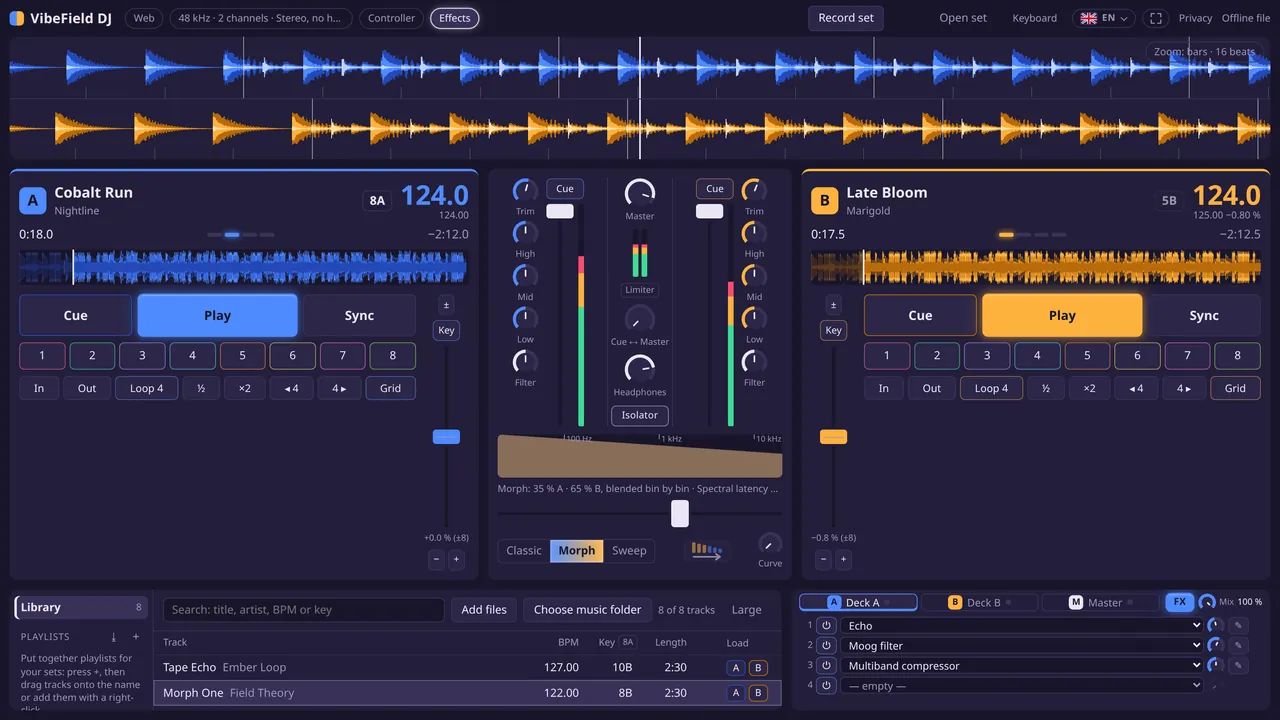
01How the chains work
Press F or click Effects to open the panel next to the library. The deck chains sit after the channel EQ and filter and before the channel fader, so you hear deck effects in your headphones too. The master chain comes after the crossfader and follows the tempo of whichever deck you hear most.
In each slot, pick an effect and switch it on with ⏻. Every slot has its own mix knob, and the FX button switches a whole chain on or off. ✎ on a slot opens all of its settings, and Esc closes them. VibeField remembers settings per effect, so switching a slot from Echo to Reverb and back brings your echo settings back.
- F
- Show or hide the effects
- Esc
- Close the settings of a slot
02Recipe: echo out
Echo is a tape echo that runs in time with the deck when Sync is on in its settings, with ping-pong, a tone control and saturation. When you switch it off, it rings out naturally instead of cutting off.
- Put Echo in a slot on the outgoing deck, with Sync on and a time of a half or one beat.
- Raise Feedback a little so the repeats last a few bars.
- A beat before the end of a phrase, switch the echo on.
- On the downbeat, stop the outgoing deck with Play. The repeats keep ringing out through the channel while the new track takes over.
03Recipe: filter build-up
The Filter effect is a resonant low-pass and high-pass. Slowly sweeping the high-pass up over 8 or 16 bars thins the track out and builds tension; adding Resonance makes the sweep sing. Drop it back to open on the downbeat. For more drama, put White noise in the next slot. It is made for build-ups, and you sweep it with the filter.
04Recipe: bring the bass back
Speed a track up and it can sound thinner. The Multiband compressor splits the sound into four bands, and each one can be boosted, cut and compressed on its own. Open it with ✎ and drag the lowest band up to restore the weight of the kick and bass. The display shows the split frequencies (drag them too) and the live gain reduction.
05Recipe: a limiter on the master
The mixer has a safety limiter of its own. When the Limiter light comes on, turn the master or the channels down. For a louder, controlled master, put Peak limiter in a master slot. It looks ahead and keeps peaks below the ceiling, including peaks between samples when True Peak is on. Turning up Input makes it louder without clipping. Set Ceiling a little below 0 dB.
The full list also has Reverb, Moog filter, Flanger, Phaser, Tremolo, Autopan, Glitch, Pitch shift, Distortion, Bitcrusher, several EQs and isolators, Loudness, Balance with mono bass, a Metronome and a Compressor.
Frequently asked
Are the effects tempo-synced?
Yes. Echo, Glitch, Autopan, Phaser and the other time-based effects can run in beats of the deck. The master chain follows the deck you hear most.
Can I control effects with a MIDI controller?
Yes. Every switch, mix knob and parameter can be assigned under Assign freely in the controller workshop.
Do effects end up in my recorded set?
Yes. Every effect change is part of the set recording, and an echo still ringing out renders exactly as it sounded live.